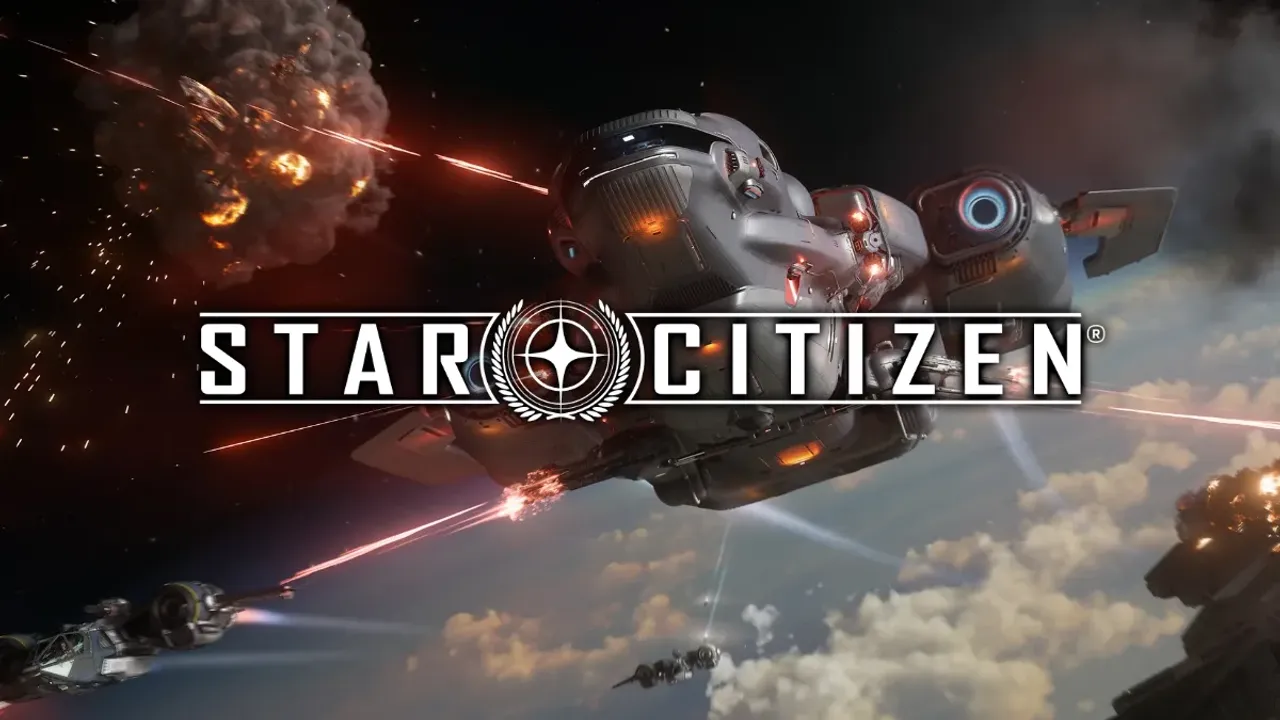
Star Citizen Beginner Guide
A practical Star Citizen beginner guide for 2026: what you need, which starter pack and city to pick, your first flight, first missions, and what to buy.

Quick Answer
To start Star Citizen you need an RSI account, one game package (the cheapest Citizen Starter Pack with the Aurora Mk II is plenty), and the RSI Launcher. From there, learn your starting city, retrieve your ship, and take low-risk delivery missions to find your feet before spending big or fighting.
Star Citizen can feel overwhelming on day one, but you don’t need much to start: one game package, a little patience, and a few hours to learn the basics. This guide covers what to buy, where to start, how to leave the planet, your first missions, and the mistakes worth avoiding — all for the current Alpha 4.8 build.
Current game version: Star Citizen Alpha 4.8.1 (LIVE)
New here? Create your account with a referral code for 50,000 free UEC before you buy anything.
Short Answer
To start Star Citizen you need an RSI account, one game package (the cheapest, the Citizen Starter Pack with the Aurora Mk II, is plenty), and the RSI Launcher. Pick a beginner-friendly city like New Babbage, learn to retrieve and fly your ship, then run simple delivery and hauling missions. Don’t spend big money early, expect bugs (it’s an alpha), and learn one system at a time.
Key Takeaways
- Start with the cheapest game package — you don’t need an expensive ship.
- Learn one system at a time: flight, then missions, then money.
- Death and bugs are normal in an alpha — most setbacks are recoverable.
- Most ships can be earned in-game with aUEC.
- Pick a beginner-friendly city (New Babbage is a common first choice).
- Set your medical respawn early to save time after dying.
- Use a referral code for 50,000 free UEC.
What Is Star Citizen?
Star Citizen is an online, first-person space-sim MMO with a single seamless universe — you can walk around cities and stations, fly ships with detailed interiors, and take on missions ranging from cargo hauling to bounty hunting. It is still in alpha development, so it’s playable and large, but unfinished and buggy in places.
Because it’s an alpha, expect rough edges. If you want a fully polished, finished game, set expectations accordingly — see Is Star Citizen Worth It for an honest take.
What Do You Need To Start Playing?
Three things: a free RSI account, one game package (permanent access + a ship), and the RSI Launcher installed on your PC.
You don’t need an expensive ship, and you don’t need Squadron 42 (the separate single-player game). For the difference between an account and a package, see Account vs Game Package.
What You Need to Start
| Requirement | Needed |
|---|---|
| RSI Account | Yes |
| Game Package | Yes |
| Expensive Ship | No |
| Squadron 42 | No |
Which Starter Pack Should Beginners Buy?
The cheapest one. The Citizen Starter Pack (RSI Aurora Mk II, ~$45) gives full game access and a capable starter ship. You can upgrade later if a specific career grabs you.
The Beginner’s Starter Pack
| Package | Ship | Recommendation |
|---|---|---|
| Citizen Starter Pack | Aurora Mk II | Best for most |
| Duelist Starter Pack | Avenger Titan | Upgrade option |
| Privateer Starter Pack | Cutlass Black | Enthusiasts |
Full comparison: Best Star Citizen Starter Pack. On the cheapest possible entry: Cheapest Way To Play.
Choosing Your Starting Location
For 2026, start in the Stanton system (not Pyro), and pick a beginner-friendly city. New Babbage on microTech is a popular first home because it’s easy to navigate. Area18, Orison, and Lorville each have strengths too.
- New Babbage (microTech) — easy to orient, straightforward shopping runs. A common recommendation for new players. Port Tressler is its orbital hub.
- Area18 (ArcCorp) — commerce-focused, fast “gear up and go” vibe.
- Orison (Crusader) — stunning first impression, a bit more travel within the city.
- Lorville (Hurston) — has a wide-ranging ship and vehicle dealership; Hurston’s inner-system position makes leaving the planet quick.
You can change your home location later, so this isn’t permanent.
Where to Start
| Location | Planet | Beginner Friendly | Notable For |
|---|---|---|---|
| New Babbage | microTech | High | Easy to navigate (common pick) |
| Area18 | ArcCorp | High | Commerce, fast gearing up |
| Orison | Crusader | Medium | Looks; more in-city travel |
| Lorville | Hurston | Medium | Best ship dealership |
Your First Login
What To Expect
When you first log in you’ll spawn in a habitation room (a “hab”) in a major city. From there you’ll use elevators to reach the city’s transit and your local inventory.
Cover the basics first:
- Character setup — adjust your character as desired.
- Spawning — you start in your hab.
- Elevators — used constantly to move between floors and transit.
- Inventory — your local inventory is storage tied to that location; your personal inventory is what you carry.
Common First-Login Mistakes
- Carrying everything you own at once (you can lose it on death).
- Not knowing where your local inventory is.
- Getting lost — take a minute to learn the elevators.
How To Leave The Planet
Step-by-Step
- Reach the spaceport or your hangar via the city transit/elevators.
- Use an ASOP terminal to retrieve (spawn) your ship.
- Take the hangar elevator to your ship.
- Enter the ship and power it on.
- Request takeoff from ATC (Air Traffic Control).
- Lift off, raise landing gear, and fly out.
Once in space, you’ll use Quantum Travel to cross large distances. Don’t worry about mastering combat or advanced systems yet — just get comfortable flying, landing, and traveling.
Your First Missions
Start with delivery and hauling contracts, then investigation and simple maintenance missions. They teach navigation, landing, and inventory handling without demanding combat skill or an expensive ship. Avoid bounty hunting and PvP at first.
Open the Contracts Manager in your mobiGlas (the in-game wrist device). Filter for low-risk, beginner-friendly work. The goal early on is learning, not maximizing profit.
Your First Missions
| Mission Type | Difficulty | Good First Choice? |
|---|---|---|
| Delivery | Easy | Yes |
| Hauling | Easy–Med | Yes |
| Investigation | Easy | Yes |
| Maintenance | Easy–Med | Yes |
| Bounty Hunting | Medium | Later |
| Salvage | Medium | Later |
| Mining | Medium | Later |
Deeper dive: Best Star Citizen Beginner Missions. For earning: How To Make Your First 100k aUEC.
What Should You Buy First?
Prioritize survival and utility: MedPens, a backpack, a multi-tool with a tractor-beam attachment, and cheap armor. Skip pricey weapons and gear early.
If you used a referral code, your 50,000 UEC covers all of this comfortably — see What To Buy With 50,000 UEC.
What to Buy First
| Item | Priority |
|---|---|
| MedPens | High |
| Backpack | High |
| Multi-tool + tractor beam | High |
| Light armor | Medium |
| Weapons | Medium |
Common Beginner Mistakes
Spending Too Much Real Money
You don’t need a big ship. Start cheap and earn the rest.
Carrying Everything At Once
Don’t risk your whole inventory — you can lose carried gear when you die.
Ignoring Medical Gameplay
Keep MedPens on you and set a medical respawn point.
Getting Frustrated By Bugs
It’s an alpha. Bugs happen; workarounds usually exist.
Trying To Learn Everything Immediately
Pick one system at a time. For the full list, see Common Star Citizen Beginner Mistakes.
Understanding Death
Dying is a normal part of Star Citizen. You respawn at your set medical location (a hospital or station), and you can lose gear you were carrying — but your ships and account progress are safe.
Set your medical respawn at a convenient hospital early. Keep MedPens handy so minor injuries don’t become deaths. Don’t carry rare or expensive items you’d be upset to lose.
Is Star Citizen Hard For Beginners?
The learning curve is steep, but it’s not as hard as it first looks once you learn the basics. The systems are deep, the UI takes getting used to, and bugs add friction — but the community is generally helpful, and the first few hours are the hardest part.
Give it a few sessions before judging. Many players bounce off in the first hour and love it once things click. For an honest assessment, see Is Star Citizen Worth It.
Free Fly Events
Free Fly events let you play Star Citizen for free for a limited time — ideal for testing the game and your PC before buying. They run several times a year.
The next event is the Foundation Festival, expected July 2026. Learn how they work in How Star Citizen Free Fly Works, and check timing in Next Star Citizen Free Fly Event.
FAQ
How do I start Star Citizen?
Create a free RSI account (with a referral code), buy a game package, install the RSI Launcher, then log in and learn to fly. Start with delivery missions.
Which city should I choose?
New Babbage on microTech is a common, beginner-friendly pick. Area18, Orison, and Lorville are also fine.
Which starter ship is best?
The Aurora Mk II in the cheapest package is great for learning. You can upgrade later.
Can I play solo?
Yes. Much of the game is soloable, though some activities are easier with friends.
Is Star Citizen difficult?
It has a steep learning curve and is buggy (it’s an alpha), but the basics are manageable and the community helps.
What should I buy first?
MedPens, a backpack, a multi-tool with a tractor beam, and cheap armor. See What To Buy With 50,000 UEC.
Do I need expensive ships?
No. Starter ships are viable and most ships can be earned in-game.
Can I earn ships in-game?
Yes, with aUEC — and you can rent ships cheaply too.
What happens when I die?
You respawn at your medical location and may lose carried gear, but your ships and account are safe.
Should I play during Free Fly?
If you’re unsure about the game or your PC, yes — it’s a free way to test it.
Is Star Citizen pay to win?
No. Spending saves time, not skill — starter ships are viable. See Is Star Citizen Pay To Win.
How buggy is Star Citizen?
Noticeably — it’s in alpha. Expect occasional bugs and server issues; most have workarounds.
Can I change my starting city?
Yes. Your home location isn’t permanent.
How long does it take to learn?
The basics take a few hours; comfort comes over several sessions. The first hour is the hardest.
Is Star Citizen worth it?
It depends on your tolerance for alpha rough edges. See Is Star Citizen Worth It.
Related Guides
- Star Citizen Referral Code — 50,000 free UEC.
- Best Star Citizen Starter Pack — which package to buy.
- Cheapest Way To Play Star Citizen — lowest-cost entry.
- Account vs Game Package — what you’re buying.
- Star Citizen First Day Guide — step-by-step first session.
- Common Beginner Mistakes — what to avoid.
- Best Beginner Missions — what to do first.
- How To Make Your First 100k aUEC — earning money.
- What To Buy With 50,000 UEC — spending wisely.
- How Star Citizen Free Fly Works — testing for free.
Sources
Official Sources
- RSI Patch Notes — current version (Alpha 4.8.1).
- RSI Comm-Link — guides and announcements.
- RSI Game Packages Store — current packages.
Additional References
- Star Citizen Wiki — locations, ships, and mechanics.
- r/starcitizen on Reddit — new-player advice and common questions.
Author Note
If I could give a new player one piece of advice, it’s this: slow down. Star Citizen punishes rushing — through the signup form, through learning to fly, through your first missions. Pick the cheap package, set your respawn, learn one thing at a time, and let the bugs roll off you. The game opens up fast once the basics click.

Fusion Thunder
Founder & EditorI'm Fusion Thunder, the founder of Beyond Max Level. I'm a lifelong gamer and content creator who doesn't just play games — I like to push them to their absolute limits. This site is the written extension of my YouTube channel, @BeyondMaxLevel, where I break down the open-world epics and big RPGs worth going deep on into clear, no-fluff guides you can actually follow.
Related Guides
 Guide
Guide Common Star Citizen Beginner Mistakes
The most common Star Citizen beginner mistakes and how to avoid them — overspending, carrying too much, hard missions too soon, ignoring medical, and more.
Guide Star Citizen Referral Code
Use a current Star Citizen referral code to get 50,000 free UEC when you create your account. Here is the code, how to use it, and how the bonus works.
Guide Where To Enter A Star Citizen Referral Code
Learn exactly where to enter a Star Citizen referral code during signup, on desktop and mobile, plus what to do if the referral field is missing.